Excellent customer service.
These are great earbuds especially for the cost. The sound is clear and true. They are comfortable to wear. The pair I bought in October suddenly stopped working. I reached out to the company who were incredible supportive offering excellent tech support. In the end we could not resolve the issue and so they sent a brand new set of earbuds. This is excellent customer service indeed. You cannot go wrong with this product.
Remi
· May 2026
Poor quality- one of thr earbuds quit after 2 months
I only use these occasionally for calls, very disappointed that one quit working after such a short period of time. Checked Amazon to see if I could contact seller for warranty, and opportunity to return closed after one month. Waste of money due to poor quality, do not buy.
Deb
· July 2023
Earbuds that work
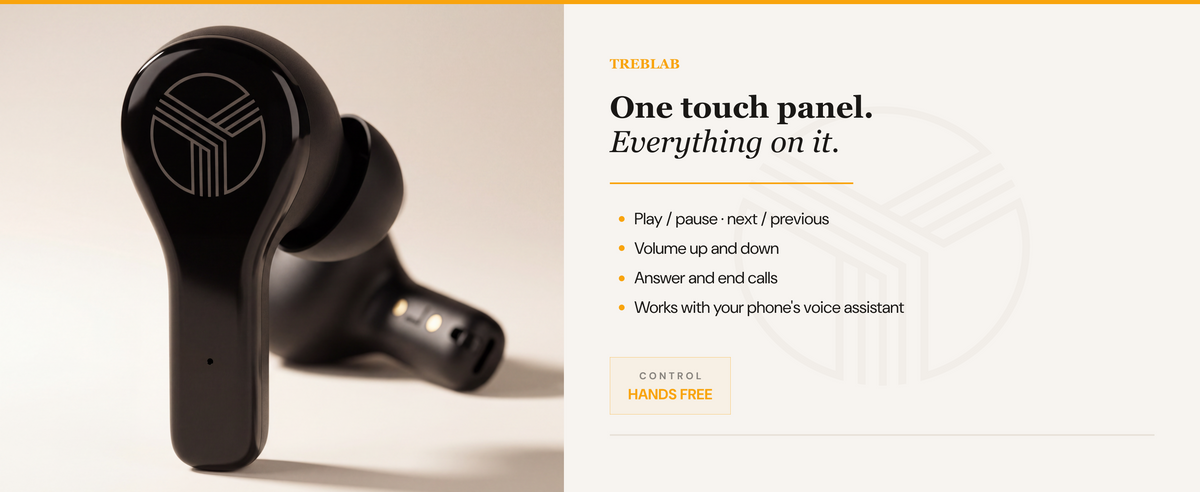
These earbuds work great. Sound quality is awesome. Charging is easy. I have not tried making any phones calls yet. Controls work well. The only thing that could be better is the charge indicator. I would like it to indicate the amount of charge percent in the earbuds instead of a light. Over all these are great earbuds.
Craig J.
· March 2023
Broken in 2 months
This is the third time I buy their product because I like the sound quality. However, none of their products works for more than a year. The right side is connected without sound. I will never buy this brand again.
Blackdasko
· February 2023
Great headphones - Mic too sensitive
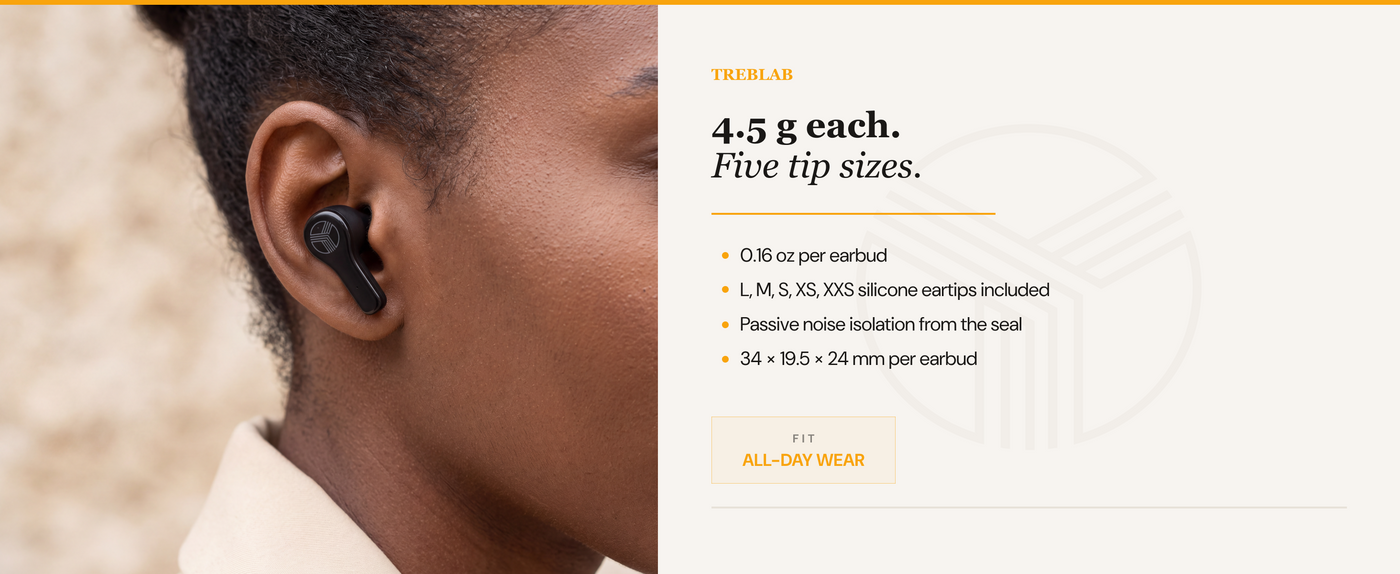
The headphones fit well and don’t fall out. The fit creates noise cancellation as soon as they are put in even without being on. My one “complaint” is the microphone pics up EVERYTHING. If you are on a phone call and a pin drops 30 feet a way the person on the call will hear it.
Thomas Ramsey
· January 2023
Not for me…
I have xr500’s and x3’s, love them both over Beats by Dre and all the rest but I just got the wx8’s thinking they were going to be just as great, if not better and I was definitely DISAPPOINTED!! I wanted to lose the wings from around the ears that my X3’s have and the reviews for the WX8’s were better than the X1’s so I decided to try the WX8’s and it was a loss for me. Hopefully there will be a better earbud out soon that fits ur ear canals like the X3’s which cancel almost all sound when inserted and twisted to desired sound. Looking forward to the next better earbuds Treblab puts out but the WX8’s aren’t for me. IMO, if there could be a hybrid of the xr500 and X3’s in ear bud design, I’d buy it right now bc the xr500’s were the loudest and clearest and the X3’s have more clarity but not as loud however they last for days on the same charge and I work 8 hr days, charging on the 3rd night, sometimes 4th. Loyal Treblab fan
Amazon Customer
· December 2022
Great Decision
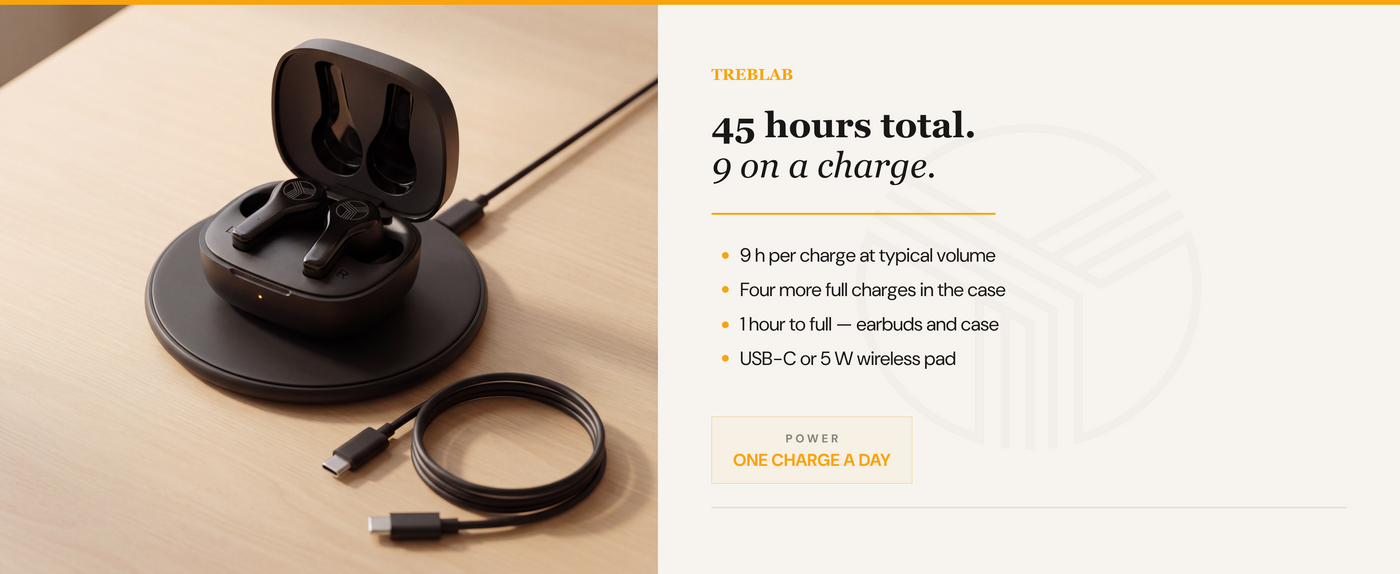
I love these, use them daily most of day. Typically use 1 at a time most of 8hr work day, charge power pack 1x a week just to top off. Once you are notified of low battery it quickly shuts off. Would buy again as gift of for myself. This brand has never failed me.
Love The New
· December 2022
Works Great!
The sound quality on these is great. They look good too. No negatives or concerns. The noise cancellation works just like it should. Good value. Highly recommend.
Oliver DeMille, TJEd
· November 2022
Great sound quality
These Bluetooth headphones have an amazing sound quality and amazing battery life. Since I have had these I have only had to charge them twice, after several days of casual use. These headphones come in a convenient case that holds quite a charge itself, but the overall size makes it easy to store virtually anywhere comfortably. Overall, I am very pleased.
Hannah Paul
· October 2022
Well Made, Comfortable to Wear, Good Battery Life, Nice Value
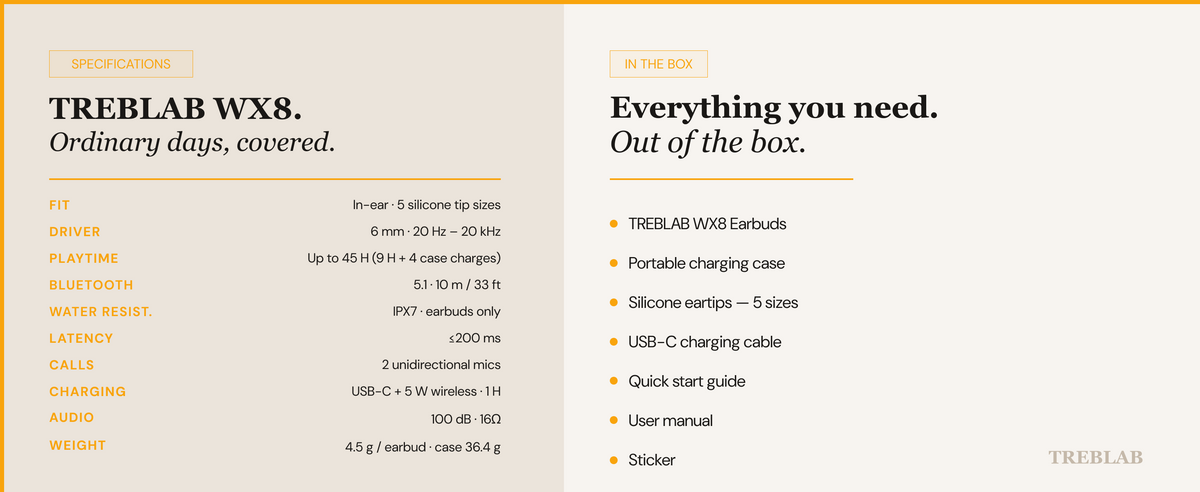
These ear buds are great! First off, they feel very nicely made and don't feel cheap. They come with a nice compact hard case that provides more then enough protection while travelling or in your pocket. This case also charges them as well. The charging uses a USB-Type C connection and they do include a cable in the box.
Parks N' Tech
· October 2022
Great little ear buds
These have a respectable battery life. They are perfect for my husband when he's mowing the yard. He cranks his music, puts these in, and said he can easily hear it much better than he did using his old wired headset. Plus, these don't have wires in his way while he's getting things done in the yard or garage. They cancel outside noise decently, have a good ear feel, and seem well made. They are fairly priced and have a reasonable recharge timeframe.
Lady Phoenix
· September 2022
Bluetooth Problems - Updated - Exceptional Customer Service
I have a pair of over the ear headphones by Treblab and am very satisfied so I decided to try a pair of the earbuds. The sound quality is good but the problem I was having is the bluetooth kept disconnecting and reconnecting when I was doing any activity even with the source well within range. Doesn't happen with the headphones. Returning the earbuds.
Randy Elder
· September 2022
Pretty good wireless earbuds
These are pretty great for the price. No issues connecting iPhone via Bluetooth. Battery life is pretty good. The bass is better than I was expecting for the price point. Volume levels are a good high and low.
Lailamel
· September 2022
Great sound
Good audio quality. It has a rich balanced sound. Good fit. Reliable connection. Noise cancellation works and it’s lightweight. Love that they have extra silicone for ear-tips. Haven’t test the battery life.
Arlene
· September 2022
Good play time for true wireless charging
I was looking for earbuds that 1) had a shaft like an AirPod 2) had true wireless charging and 3) had decent play time. This met all of my criteria. I keep losing earbuds and found that they make jewelry to hold AirPods so I needed a shaft to utilize that jewelry. These worked great for that and now I’m not worried about losing my earbuds even in my sleep. I love that I can just drop the case on my wireless charger. I get about 7 hours of playtime, but they do work independently so I could use one at a time and basically get unlimited playtime wearing one while the other charges. The fit of these is really good so actually I wore them fore several days before my earbud jewelry arrived and didn’t have them fall out once. I’ve recently gone through about 5 pairs of earbuds and these are my favorite. My only complaint is that a few other pairs had better sound quality but the sound quality is not bad at all, it’s just not as good as others.
Christy
· September 2022